
Passport OCR Reader
Turn a photo of any passport's photo page into clean, structured data in seconds.
Passport OCR Reader
Brand: HRV Innovations
3 free scans every day — no signup required
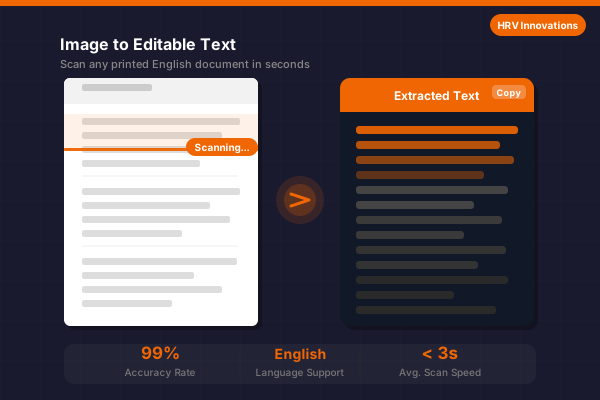
Instantly extract Passport Number, Name, Nationality, Date of Birth, and Issue/Expiry dates from a photo or scan of any passport's photo page. Reads both the printed fields and the Machine Readable Zone (MRZ) for accurate, structured results. Currently optimized for English-language passports.
Try Passport OCR Reader — Live Demo
Upload a photo of a passport's photo page and we'll extract the key fields instantly. No account needed.
Photo page of an English-language passport (PNG, JPG, BMP, TIFF, PDF) Max file size: 10 MB
Tip: Capture the full photo page flat and well-lit, including the two lines of text at the bottom (the MRZ), for the most accurate field extraction.
Pricing Plans
Pick the plan that fits how many passports you scan.
Free
- 3 free scans per day
- Core field extraction
- Copy extracted text to clipboard
- No signup or card required
Pro
- Up to 100 scans per day, per machine
- Export to .txt and .docx
- Priority email support
- Single machine license
Enterprise
- Unlimited scans
- Multi-machine / site license
- Batch processing
- Dedicated support & onboarding
Passport OCR Reader Overview
When you need to quickly and accurately capture the details from a passport — for onboarding, KYC, travel bookings, or record-keeping — Passport OCR Reader by HRV Innovations reads the photo page instantly and returns clean, structured fields instead of a wall of raw text. It supports Windows, macOS, and web platforms.
The engine reads both the printed fields and the Machine Readable Zone (MRZ) — the two lines of
text at the bottom of the photo page defined by the ICAO Doc 9303 standard — to reliably extract the
Passport Number, Surname, Given Names, Nationality, Date of Birth, Sex, Date of Issue,
Date of Expiry, and Issuing Country
. Extracted data can be copied to clipboard or
exported as .txt or .docx. All processing is done securely —
your images are never stored or shared.
The reader is currently optimized for English-language passports for the highest accuracy. Three free scans are available each day with no registration required. Need more? Our Pro and Enterprise plans raise or remove the daily limit — contact us to upgrade.
Features
| Feature | Description |
|---|---|
| Passport Number Extraction | Reliably locates and extracts the passport number from both the printed field and the MRZ line. |
| MRZ Parsing (ICAO 9303) | Reads the two-line Machine Readable Zone at the bottom of the photo page to reconstruct name, nationality, and dates with high accuracy, even if the printed text is stylized or partly obscured. |
| Name & Nationality Detection | Separates surname and given names, and identifies the nationality and issuing country automatically. |
| Date Field Extraction | Extracts Date of Birth, Date of Issue, and Date of Expiry and normalizes them to a consistent DD/MM/YYYY format. |
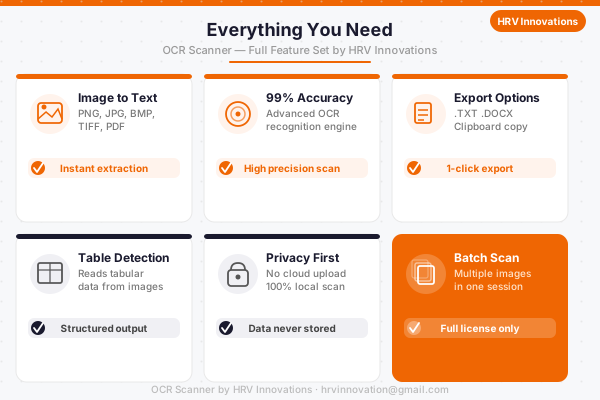
| Clipboard Export | One-click copy of extracted fields or raw text to clipboard, ready to paste into any application instantly. |
| Document Export | Export extracted content as a plain .txt file or a formatted .docx Word document. |
| Batch Processing | Process multiple passport images in one go with a Pro or Enterprise plan — perfect for onboarding or KYC workflows. |
| Privacy First | Images are processed securely and never stored or shared. Your documents remain 100% private and secure. |
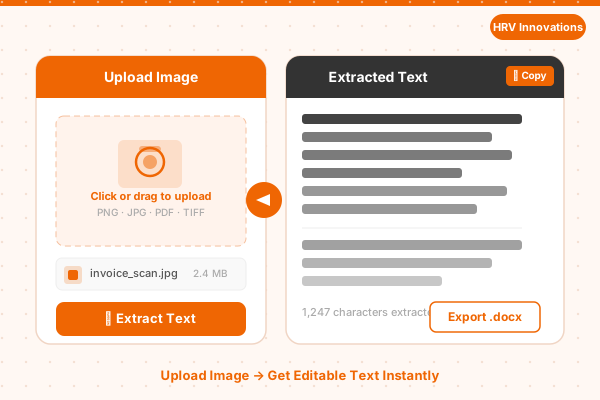
| User-Friendly Interface | Clean drag-and-drop interface with instant preview — no technical knowledge required. Upload, scan, and extract in 3 clicks. |
System Requirements
macOS 12+
Ubuntu 20.04+
Recommended 500 MB
2.0 GHz or faster
Licensed Setup Download
This installer contains the Passport OCR DLL for integration into your own project. It's only available to Pro/Enterprise plan holders — enter the setup password we provided with your purchase confirmation to unlock the download.
You get 3 free OCR scans each day without any account or payment. The counter resets daily and is enforced on our server, so it can't be bypassed by clearing your browser data. After that, you can upgrade to a Pro or Enterprise plan to continue.
Beyond the Free plan's 3 scans/day, our Pro plan costs ₹1 per scan for up to 100 scans/day per machine, plus export and priority support. Our Enterprise plan offers unlimited scans with multi-machine/site licensing. Contact hrvinnovation@gmail.com or call +91 99280 84994 to upgrade.
Passport OCR Reader supports PNG, JPG, JPEG, BMP, TIFF, and PDF files. For best results, use a high-resolution, well-lit photo of the passport's photo page.
Passport OCR Reader is currently optimized for English-language passports for the highest field-extraction accuracy.
The MRZ (Machine Readable Zone) is the two lines of text at the bottom of a passport's photo page, standardized by ICAO Doc 9303. Capturing it clearly lets the reader extract the passport number, names, nationality, and dates with much higher accuracy than the printed fields alone.
The reader will let you know the image doesn't look like a passport photo page and ask you to try again. Attempts on non-passport images don't count against your daily free scans.
Yes, Pro and Enterprise plans allow exporting extracted fields and raw text to .txt and .docx formats. The free daily scans support copy-to-clipboard only.
Please email your queries to hrvinnovation@gmail.com and we will get back to you soon.