
Invoice OCR Reader
Turn a photo, scan, or PDF of any invoice into clean, structured data in seconds.
Invoice OCR Reader
Brand: HRV Innovations
3 free scans every day — no signup required
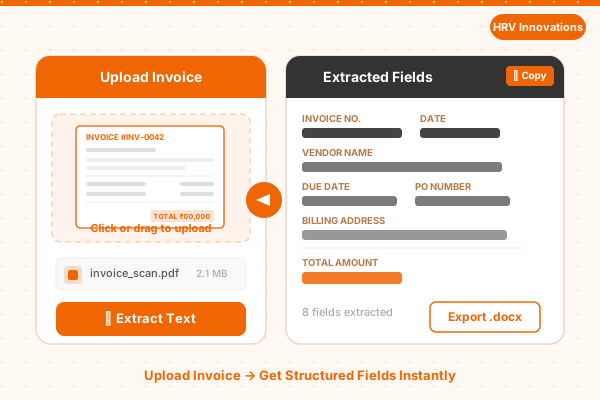
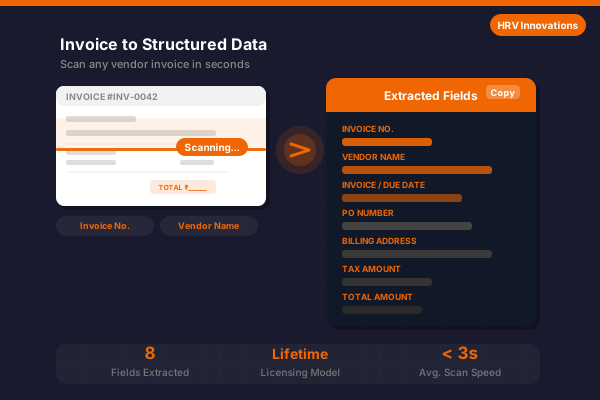
Instantly extract the Invoice Number, Vendor Name, Invoice Date, Due Date, PO Number, Billing Address, Tax Amount, and Total Amount from a photo, scan, or PDF of any invoice.
Try Invoice OCR Reader — Live Demo
Upload a photo, scan, or PDF of an invoice and we'll extract the key fields instantly. No account needed.
A clear photo or scan of the full invoice (PNG, JPG, BMP, TIFF, PDF) Max file size: 10 MB
Tip: Use a flat, well-lit scan or photo with all text clearly visible for the most accurate field extraction.
Pricing Plans
Pick the plan that fits how many invoices you scan.
Free
- 3 free scans per day
- Core field extraction
- Copy extracted text to clipboard
- No signup or card required
Pro
- Up to 100 scans per day, per machine
- Export to .txt and .docx
- Priority email support
- Single machine license
Enterprise
- Unlimited scans
- Multi-machine / site license
- Batch processing
- Dedicated support & onboarding
Invoice OCR Reader Overview
When you need to quickly and accurately capture the details from a vendor invoice — for accounts payable, expense tracking, or bookkeeping — Invoice OCR Reader by HRV Innovations reads the invoice instantly and returns clean, structured fields instead of a wall of raw text. It supports Windows, macOS, and web platforms.
The engine reads the printed fields on the invoice to reliably extract the
Invoice Number, Vendor Name, Invoice Date, Due Date, PO Number, Billing Address,
Tax Amount, and Total Amount
. Extracted data can be copied to clipboard or exported as .txt or
.docx. All processing is done securely — your documents are never stored or shared.
Three free scans are available each day with no registration required. Need more? Our Pro and Enterprise plans raise or remove the daily limit — contact us to upgrade.
Features
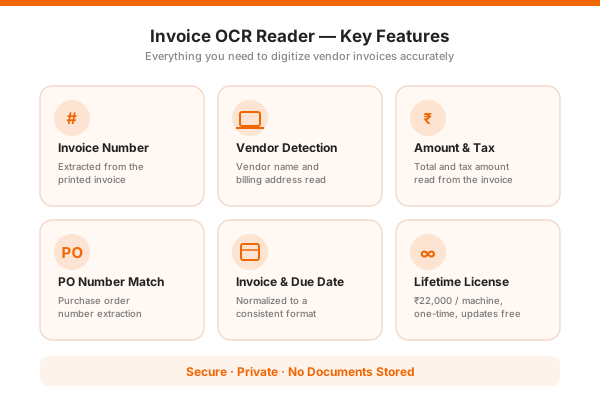
| Feature | Description |
|---|---|
| Invoice Number Extraction | Reliably locates and extracts the invoice number printed on the document. |
| Vendor Detection | Identifies the vendor / supplier name and billing address on the invoice. |
| Invoice & Due Date | Reads the invoice date and payment due date, normalized to a consistent format. |
| Amount & Tax Extraction | Reads the total amount and tax amount fields for straightforward reconciliation. |
| PO Number Matching | Extracts the purchase order number where present, for easy matching against your PO records. |
| Clipboard Export | One-click copy of extracted fields or raw text to clipboard, ready to paste into any application instantly. |
| Document Export | Export extracted content as a plain .txt file or a formatted .docx Word document. |
| Batch Processing | Process multiple invoices in one go with a licensed machine — perfect for high-volume AP workflows. |
| Privacy First | Documents are processed securely and never stored or shared. Your invoices remain 100% private and secure. |
System Requirements
macOS 12+
Ubuntu 20.04+
Recommended 500 MB
2.0 GHz or faster
Licensed Setup Download
This installer contains the Invoice OCR DLL for integration into your own project. It's only available to licensed machines — enter the setup password we provided with your purchase confirmation to unlock the download.
You get 3 free OCR scans each day without any account or payment. The counter resets daily and is enforced on our server, so it can't be bypassed by clearing your browser data. After that, you can purchase a lifetime license to continue.
Beyond the Free plan's 3 scans/day, our Pro plan costs ₹1 per scan for up to 100 scans/day per machine, plus export and priority support. Our Enterprise plan offers unlimited scans with multi-machine/site licensing. Contact hrvinnovation@gmail.com or call +91 99280 84994 to upgrade.
Invoice OCR Reader supports PNG, JPG, JPEG, BMP, TIFF, and PDF files. For best results, use a high-resolution, well-lit photo or a clean scan of the full invoice.
Yes — both paid plans include free updates for as long as your plan is active, at no extra cost.
The reader will let you know the document doesn't look like an invoice and ask you to try again. Attempts on non-invoice documents don't count against your daily free scans.
Yes, a licensed machine can export extracted fields and raw text to .txt and .docx formats. The free daily scans support copy-to-clipboard only.
Please email your queries to hrvinnovation@gmail.com and we will get back to you soon.